
Surf Browser: Create Custom Social Feeds Easily


Surf: Your Open Social Web Browser for Custom Feeds Tired of algorithm-driven feeds dictating your online experience? Surf, Flipboard‘s innovative social browser, empowers you to...
⏱️ Estimated reading time: 4 min
Latest News










Surf: Your Open Social Web Browser for Custom Feeds
Tired of algorithm-driven feeds dictating your online experience? Surf, Flipboard‘s innovative social browser, empowers you to create personalized social media feeds, putting you back in control.Yahoo Finance
🌊 What Is Surf?
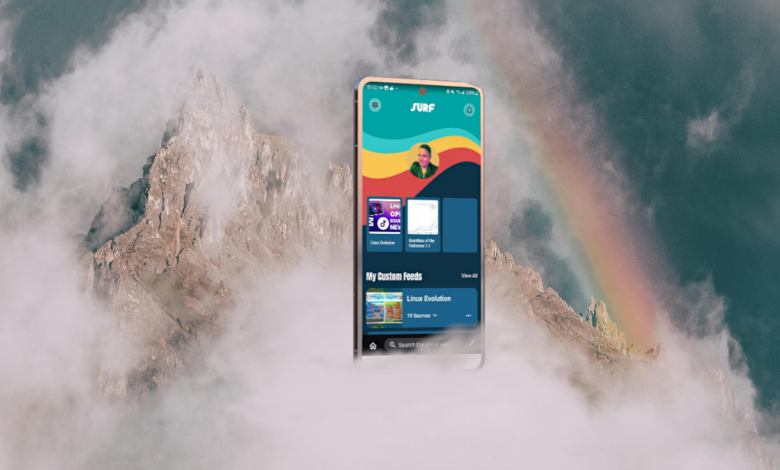
Surf is a mobile app designed to help you build custom content feeds across the open social web. It aggregates posts from platforms like Mastodon, Bluesky, Threads, YouTube, podcasts, blogs, and RSS feeds into one cohesive stream. This allows you to curate content based on your interests rather than platform algorithms. About Flipboard
🛠️ How to Build Your Own Feed
Creating a custom feed with Surf is straightforward:
- Tap “+ Create a New Feed” in the app.
- Name your feed and tap “Create.”
- Search for sources—profiles, hashtags, RSS feeds, YouTube channels, podcasts—and tap the star to add them.
- Use filters to keep your feed focused on specific topics.
- Access your feed from the home screen or your profile. Flipboard Help CenterAbout Flipboard
Surf also offers “Starter Sets,” pre–populated feeds organized around popular categories like hobbies, tech, or news, to help you get started quickly. The Verge
🔍 Why Use Surf?
Community Sharing: Share your custom feeds with others or explore feeds created by the community. About Flipboard
Personalized Content: Curate feeds based on your interests, not algorithms.
Cross-Platform Aggregation: Combine content from various platforms into one feed.
Topic Filters: Keep your feed focused by filtering out unrelated content.
Diverse Media: Include videos, articles, podcasts, and more.
🌐 What Is Surf?
Surf is a mobile app designed to help you build custom content feeds across the open social web. It aggregates posts from platforms like Mastodon, Bluesky, Threads, YouTube, podcasts, blogs, and RSS feeds into one cohesive stream. This allows you to curate content based on your interests rather than platform algorithms.
🛠️ How to Build Your Own Feed
Creating a custom feed with Surf is straightforward:
- Tap “+ Create a New Feed” in the app.
- Name your feed and tap “Create.”
- Search for sources—profiles, hashtags, RSS feeds, YouTube channels, podcasts—and tap the star to add them.
- Use filters to keep your feed focused on specific topics.
- Access your feed from the home screen or your profile.
Surf also offers “Starter Sets,” pre–populated feeds organized around popular categories like hobbies, tech, or news, to help you get started quickly.
🔍 Why Use Surf?
- Personalized Content: Curate feeds based on your interests, not algorithms.
- Cross-Platform Aggregation: Combine content from various platforms into one feed.
- Topic Filters: Keep your feed focused by filtering out unrelated content.
- Diverse Media: Include videos, articles, podcasts, and more.
- Community Sharing: Share your custom feeds with others or explore feeds created by the community.
📲 Get Started with Surf
Surf is currently in invite-only beta for iOS and Android users. To join the waitlist and start customizing your social media experience, visit about.surf.social.
For a visual guide on creating custom feeds, check out this tutorial:
How to Create a Custom Feed on Surf
Key Features of Surf
- Customizable Feeds: Build feeds from various social media platforms, websites, and RSS feeds.
- Open Source: Surf’s open-source nature ensures transparency and community-driven development.
- Control Over Content: Filter out unwanted noise and focus on the information that matters to you.
How Surf Simplifies Content Curation
Surf simplifies the process of creating and managing custom feeds. Here’s how:
- Intuitive Interface: Easily add and organize your sources.
- Filtering Options: Refine your feeds using keywords and filters.
- Cross-Platform Support: Access your custom feeds on multiple devices.
Benefits of Using Surf
- Personalized Experience: Tailor your content consumption to your exact preferences.
- Reduced Noise: Eliminate irrelevant content and distractions.
- Enhanced Control: Take charge of your online experience.
Related Posts

Bluesky Enhances Moderation for Transparency, Better Tracking
Bluesky Updates Moderation Policies for Enhanced Transparency Bluesky, the decentralized social network aiming to compete...
December 11, 2025

Google Maps: Gemini Tips, EV Charger Predictions & More!
Google Maps Gets Smarter: Gemini Tips & EV Updates Google Maps is enhancing user experience...
December 9, 2025

US, UK, Australia Sanction Russian Web Host
Crackdown on Russian ‘Bulletproof’ Web Host The United States, United Kingdom, and Australia have jointly...
December 6, 2025
Leave a Reply