How to Build a Google Gemini Voice Assistant

Building a Voice Assistant with Google Gemini API End-to-End Tutorial Artificial intelligence has moved beyond text-based chatbots. Today developers can create full-fledged voice assistants capable...
⏱️ Estimated reading time: 2 min
Latest News










Building a Voice Assistant with Google Gemini API End-to-End Tutorial
Artificial intelligence has moved beyond text-based chatbots. Today developers can create full-fledged voice assistants capable of natural conversation task automation and seamless integrations. Moreover with the Google Gemini API building such systems is more accessible than ever. This guide therefore provides a step-by-step walkthrough of how to design code and deploy a custom voice assistant powered by Gemini.
Why Choose Gemini for Voice Assistants?
Emotion-Driven and Expressive Voice Responses
Gemini’s speech model adds natural emotional expression like calming tones for stressful queries or characterful accents for storytelling. Additionally users can adjust speed and intonation.
The Verge
Understand Across Multiple Modalities
Gemini is built to process and interweave text images audio video and even code inputs all in a single interaction window. For example you can send a picture a voice clip and a text prompt together and Gemini seamlessly understands them collectively.
Generate Multimodal Outputs
The model doesn’t just respond with text it can produce speech images and even video offering richer and more engaging replies. For instance, think of explanations that come with visuals or narration that accompanies a diagram.
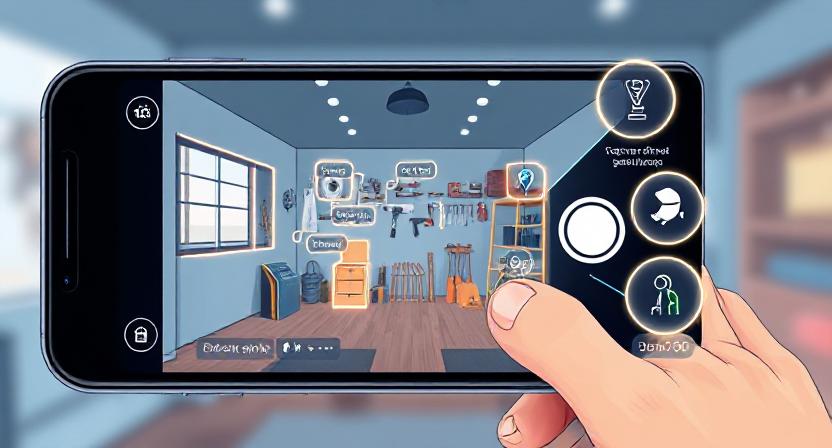
Context-Aware Real-Time Visual Interaction
With Gemini Live you can share your camera feed and the assistant will visually highlight objects on screen as part of voice-driven guidance. For example it can identify tools in the room in real time.
- Understand natural conversational speech.
- Handle follow-up questions contextually.
- Integrate with APIs to perform actions like fetching weather, reminders or IoT controls.
- Scale easily across platforms like web mobile and smart devices.
Before starting make sure you have:
Once built you can deploy the assistant on:
- Desktop apps via Electron or Tkinter
- Mobile apps via Flutter or React Native with API integration
- Smart devices Raspberry Pi with microphone + speaker
Google Cloud makes scaling seamless so you can even connect it to Dialogflow CX for enterprise-level conversation management.
Security and Privacy Considerations
When building voice assistants always consider:
- Data Privacy: Ensure you comply with GDPR and CCPA by informing users about data collection.
- API Security: Restrict API keys and avoid exposing them in client-side apps.
- Ethical Use: Avoid deploying assistants in contexts where users are unaware of AI interaction.
This positions Gemini voice assistants as not only tools for personal productivity but also for industries like customer support healthcare triage and smart home automation.
Related Posts

Vibe Coding: Why Mobile Apps Haven’t Taken Off
Vibe Coding: Why Mobile Apps Haven’t Taken Off Dedicated mobile apps for vibe coding haven’t...
September 23, 2025

WhatsApp’s New In-App Message Translation
WhatsApp Now Translates Messages Natively WhatsApp has launched a message translation feature for both iOS...
September 23, 2025

Top Apple Watch Apps to Supercharge Productivity
Supercharge Your Day: Best Apple Watch Productivity Apps The Apple Watch isn’t just a stylish...
September 19, 2025
1 Comment
-
backlink building agency
I don’t usually comment but I gotta state thanks for the post on this great one : D.

I don’t usually comment but I gotta state thanks for the post on this great one : D.